|
U2004 ARINC 429 Module Dll Library
|

| |
|
U2004 ARINC 429 Module Dll Library
|
|
| |
The U2004 is an ARINC 429 Data Server made by Canaan Avionics. This .Dll controls the U2004 through USB connection, but there are options for direct connection through TCP/IP ports for versions of the U2004 that have an RJ-45. TCP/IP sort can also be added using the S2309 DataPanel and using it as an Ip Bridge (see CanvasConnect, and UsbConnect for U2004 connection options). More...
Data Structures | |
| class | A429Record |
| A429 Records are how words are communicated through this DLL. More... | |
| class | PortStatus |
| A type that is returned for indicating the port speed, state, and status. See More... | |
Public Types | |
| enum | FrameLayout : int { PAYLOAD_SIZE = 66 , INDEX = 2 , OP_CODE = 3 , SEQ_NUM = 4 , CHECKSUM = 5 , IS_ASYNC = 6 , PAYLOAD_START = 7 , FRAME_SIZE = PAYLOAD_START + PAYLOAD_SIZE + 2 } |
| FrameLayout is how a communication frame with the U2004 is established. More... | |
| enum | FrameByte : byte { FRAME = 0xA5 , FAULT_NO_PORT = 0x20 , FAULT_ARGUEMENT = 0x21 , FAULT_MISFRAME = 0x22 , FAULT_CHECKSUM = 0x23 , FAULT_OPCODE = 0x24 , FAULT_TIMEOUT = 0x25 , FAIL_OPCODE = 0xFF , IS_NUMBER = 0x02 , NO_FAULT = 0xAA } |
| FrameByte are fault codes and other values specific for communicating a Frame. More... | |
| enum | CommMode { NONE = 1 , USB_TO_U2004 = 2 , TCP_TO_U2004 = 4 , TCP_TO_PANEL = 3 } |
| CommMode is a enumeration for determiniging how the Dll is communicating with the U2004. More... | |
| enum | Opcode : byte { Initialize = 0x01 , Reset = 0x04 , SetDiscrete = 0x05 , ClearDiscrete = 0x06 , ReadDiscrete = 0x07 , PortHs = 0x20 , PortLs = 0x21 , PutIsUniqueSdi = 0x10 , PutParity = 0x11 , GetRecords = 0x12 , ScheduleTxWord = 0x13 , ScheduleTxWords = 0x14 , UnScheduleTxWord = 0x15 , TxWord = 0x16 , UpdateTxWord = 0x17 , PortStart = 0x18 , PortStop = 0x19 , GetRxWord = 0x30 , SetRxRate = 0x31 , ReportStatus = 0x51 , AsyncMode = 0x52 , AsyncDone = 0x53 , AsyncRecords = 0x54 , MapRxWordToTxPort = 0x57 , MapRxPortToTxPort = 0x58 , CanvasCommand = 0x60 } |
| Opcodes for communicating commands to the U2004 within a communication frame. More... | |
| enum | A429Port : byte { RX0 = 0x10 , RX1 = 0x11 , RX2 = 0x12 , RX3 = 0x13 , RX4 = 0x14 , RX5 = 0x15 , RX6 = 0x16 , RX7 = 0x17 , TX0 = 0x18 , TX1 = 0x19 , TX2 = 0x1A , TX3 = 0x1B , STATUS = 0x33 , NONE = 0x00 } |
| Idenifies which U2004 is being communicated with by a command that needs a A429Port argument. More... | |
| enum | A429Parity : byte { Odd = 1 , Even = 0 , None = 2 } |
| ARINC 429 parity means that the 32nd bit of the A429 Word is overwritten as a word-check, to detect a badly received bit. Parity is used by a number of functions to either set the parity, meaning that a transmitter from the U2004 will automatically write parity to the 32nd bit before it is put onto the wire, or that the parity can be set for a receiver port, meaning that the receiver will ignore parity that is received from the wire if it is not received correctly. More... | |
Public Member Functions | |
| U2004 () | |
| bool | UsbConnect (string port) |
| Opens a USB Connection to a U2004. | |
| bool | CanvasConnect (string ip, int tcpPort) |
| Instead of calling UsbConnect which would connect to a U2004 throught USB, CanvasConnect can be called to connect to a U2004 that is alread connected to a S2309 CANVAS. Calling Communicate will coordinate a frame through either Usb or Tcp, regardless of the connection method. Know that a U2004 should be put into Async mode any time it is being used with Canvas rather than in an embedded system. CanvasConnect will do this automatically by calling AsyncMode | |
| byte[] | CommFrame (byte index=0, byte opcode=0) |
| Creates a raw communication frame to communicate with the U2004. | |
| byte | Checksum (byte[] frame) |
| Computes the expected checksum of the given Frame. | |
| List< A429Record > | AsyncCommunicate () |
| Called by a worker thread periodically to get all of the updated records and other status when the U2004 is in "Asynchronous Mode". When in this mode, the U2004 will constantly service a port and return a buffer of new records when this called. | |
| byte[] | Communicate (byte[] frame, bool getEcho=true) |
| Communicates a single command to the U2004, either directly via USB (when Mode = USB_TO_U2004) or through TCP (when Mode = TCP_TO_PANEL). This function does most of the heavy-lifting communication-wise, and is called by other commands such as UpdateTxWord. Typically Communicate() doesn't need to be called by an interfacing application. | |
| byte[] | TcpCommunicate (byte[] frame, bool checksum=true) |
| Sends and receives a frame without any additional discrimination through the TCP Connection. This function is typically only used by the Communicate function. | |
| void | Initialize () |
| Initializes a connected U2004 (which may still be performing tasks from a previous session). This function also updates the FirmwareVersion and DeviceID. | |
| void | Reset () |
| Full software reset of the U2004. | |
| void | AsyncMode (bool async_on) |
| Puts the U2004 into "Asynchronous Mode", meaning that it will constantly output A429Records through AsyncCommunicate. A code example is in AsyncCommunicate. | |
| void | SetDiscrete (uint mask) |
| Writes to the U2004 discrete outputs (such as GND_DISC_OUT_0). See DiscreteOutputs for a listing and mapping of these discretes, which can be passed into the mask argument. This function specifically clears a ground/open discrete state. | |
| void | ClearDiscrete (uint mask) |
| Writes to the U2004 discrete outputs (such as GND_DISC_OUT_0). See DiscreteOutputs for a listing and mapping of these discretes, which can be passed into the mask argument. This function specifically opens a ground/open discrete state. | |
| uint | ReadDiscrete () |
| Returns the state of discrete inputs to the U2004 (such as GND_DISC_IN_0, GND_DISC_IN_1, GND_DISC_IN_2) This function usually is used when UpdateStatus isn't called, because DiscreteInputs also provides the states inputs. Use ReadDiscrete(byte) if a blocking operation is needed to check the discrete input states. | |
| void | PortHs (A429Port port) |
| Sets an A429 port to High Speed (100kbs) | |
| void | PortLs (A429Port port) |
| Sets an A429 port to Low Speed (12.5kbs) | |
| void | PutIsUniqueSdi (A429Port port, uint word, bool is_unique_sdi) |
| IsUniqueSdi is a property that can be attached to an ARINC 429 word where it tells the U2004 how to handle Source Designation Index (SDI) fields. The SDI is the 9th and 10th bits of an ARINC 429 word (the first 8 bits being the A429 label). For most application, the SDI is somewhat irrelevant because there usually is only one SDI field transmitted on a bus (out of four possible SDI with two-bits). The SDI being received is known by the receiving system by knowing which system the port is wired to. However, some systems, such as Distance Measurement Systems (DME) use the SDI field to differentiate between different channels. This means that the SDI needs to be differentiated by the processing equipment. If IsUniqueSdi configured for a label, then the SDI and Label fields (the first 10 bits) are processed together and all four versions of each label are chached and processed independently. | |
| void | PutParity (A429Port port, uint word, A429Parity parity) |
| Provided a A429 word, tells the U2004 what parity to accept on receiving ports, and what parity to put out on transmitting ports (Odd, Even, None). | |
| List< A429Record > | GetRecords (A429Port port, byte count) |
| Gets a list of A429Records from the U2004 buffer. | |
| bool | ScheduleTxWord (A429Port port, uint word, ushort time, bool is_froze) |
| Puts a word into the transmit schedule at the specified time. Words in the schedule are transmittted autonomously and periodically by the U2004 without the need for any Host interaction. A transmit schedule is 2,777 words (for a High Speed bus) and 347 words (for a Low Speed bus), which represents all of the words that that can possibly be transmit in one second. | |
| void | ScheduleTxWords (A429Port port, uint word, ushort time, ushort rate, bool is_froze) |
| Puts a word into the transmit schedule at the specified time. Words in the schedule are transmittted autonomously and periodically by the U2004 without the need for any Host interaction. A transmit schedule is 2,777 words (for a High Speed bus) and 347 words (for a Low Speed bus), which represents all of the words that that can possibly be transmit in one second. | |
| void | UnScheduleTxWord (A429Port port, uint word) |
| Removes all instances of a word, specifcally the first 8-bit label of a word, from the transmit schedule. | |
| void | TxWord (A429Port port, uint word) |
| Puts a word to be transmitted when space in schedule is available. | |
| void | TxWord (A429Port port, List< uint > words) |
| Puts a list of words to be transmitted when space in schedule is available, but note that words that don't fit into the frame are dropped if there is not room. | |
| void | TxWordUnBlocked (A429Port port, List< uint > words) |
| Puts a list of words to be transmitted when space in schedule is available, but not that words that donet fit into the frame are dropped if there is not room. Unlike TxWord, there are no frame check or waiting for this call to be complete, meaning that the words are transmit with less time restrictions. | |
| void | UpdateTxWord (A429Port port, uint word) |
| Assuming that a A429 Word has been scheduled, and is actively being transmitted by the U2004, calling UpdateTxWord will update the word value that is in the schedule. It updates what is being transmitted. This also un-freezes words in the schedule if they were scheduled and expect fresh updates from the Host before transmit onto the wire. | |
| void | UpdateTxWord (A429Port port, List< uint > words) |
| Assuming that a A429 Word has been scheduled, and is actively being transmitted by the U2004, calling UpdateTxWord will update the word value that is in the schedule. It updates what is being transmitted. This also un-freezes words in the schedule if they were scheduled and expect fresh updates from the Host before transmit onto the wire. This call is more performant than the single uint call when scheduling many words. | |
| void | PortStart (A429Port port) |
| Starts the Tx or Rx Port. | |
| void | PortStop (A429Port port) |
| tops the Tx or Rx Port | |
| uint | GetRxWord (A429Port port, uint word, bool get_fresh=true) |
| Receives the A429 Rx word from the U2004 Cache. If the word has a set [expected] receive rate (put by SetRxRate), and if 'get_fresh' is True, then the last word received on the port will be returned. If 'get_fresh' is False, then the last word received matching the word (the 8-bit label) will be returned, even if it is stale. NOTE: this function requires a uint-32 to be passed in as the parameter, but only the 8 "label" bits will be used. That is the least significant 8 bits will be used and the most significant 24 are entirely ignored by this function. | |
| List< uint > | GetRxWords (A429Port port, List< uint > words, bool get_fresh=true) |
| Receives the A429 Rx word from the U2004 Cache. If the word has a set [expected] receive rate (put by SetRxRate), and if 'get_fresh' is True, then the last word received on the port will be returned. If 'get_fresh' is False, then the last word received matching the word (the 8-bit label) will be returned, even if it is stale. | |
| void | SetRxRate (A429Port port, uint word, ushort rate) |
| Sets the expected rate of an ARINC 429 word. This is used to determine if a received word is fresh or stale, meaning that it was received within twice the expected rate on average. | |
| void | MapRxWordToTxPort (A429Port rx_port, uint word, A429Port tx_port, bool tx_override) |
| Maps a word from the rx_port over to the tx_port. If the tx_override is true, then the word is mapped but the actual value of the word is taked from the TxCache (meaning that the word is populated with the last value from UpdateTxWord()) | |
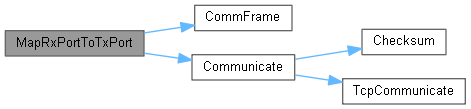
| void | MapRxPortToTxPort (A429Port rx_port, A429Port tx_port) |
| Unlike MapRxWordToTxPort(), this maps all words from the rx_port over to the tx_port. | |
| void | ReportStatus () |
| Requests the U2004 status; all ports, all discretes, and the operating mode. | |
| object | SetWkn (string wkn, double value) |
| Sets the value of a Well Known Name to the value provided for example SetWkn('TIME_TO_GO_BCD', 12.2) will set the value of 'TIME_TO_GO_BCD' to 12.2, to set a co-located non-WKN, use a collon to address that vlue. for example SetWkn('TIME_TO_GO_BCD:Sdi', 3) will set the Source Designation Index in the word that contains 'TIME_TO_GO_BCD' to 3. Note: Under the current implementation, this will always query the port that has had it's ICD set for the longest. | |
| object | SetWknString (string wkn, string value) |
| Sets the value of a Well Known Name to the value provided for example SetWkn('TIME_TO_GO_BCD', 12.2) will set the value of 'TIME_TO_GO_BCD' to 12.2, to set a co-located non-WKN, use a collon to address that vlue. for example SetWkn('TIME_TO_GO_BCD:Sdi', 3) will set the Source Designation Index in the word that contains 'TIME_TO_GO_BCD' to 3. | |
| object | GetWkn (string wkn) |
| Used to read the value of a Well Known Name. Under the current implementation, this will always query the port that has had it's ICD set for the longest. | |
| object | GetWknString (string wkn) |
| This function is called by GetWkn, which should be used in place of this. 'GetWknString' can be used however for greater control over the command issued to the U1713_11. | |
| bool | LoadIcdFromPath (string absolute_path, string port, string a429Bus_name) |
| This function provides a way to programatically load ICDs into canvas onto a particular port. Note, a ~5 second sleep call should be made following this call to allow Canvas to finish loading the icd. | |
| bool | LoadRecordingFromPath (string absolute_path, string port, bool loop) |
| This function provides a way to programatically load a data recording to a particular port. Note, a ~5 second sleep call should be made following this call to allow Canvas to finish loading the part. | |
| object | Script (string script) |
| This function provides a way to issue a command directly to Canvas. The command is converted to byte array and sent to the TCP processor. | |
Data Fields | |
| SerialPort | CommPort |
| Serial Port for Communicating directly with the U2004 through the USB/COM port adapter. The U2004 is an FTDI port and can be communicated with through FTD2XX_NET.dll, but also through a generic COM port. Rates up to 921600bps have been tested. Use UsbConnect to open communication using the optimum settings. | |
| int | TimeOut = 500 |
| The amount of time (ms) for Communicate to wait for a frame from the U2004. If there is no response in that time, then the frame is received as null. | |
| byte | Index = 0 |
| The Index of this U2004 device. This Dll supports a single host and multiple U2004 interfaces. The Index can be used to direct which U2004 is communicated with. | |
| CommMode | Mode = CommMode.NONE |
| The active mode that this U2004 instance is communicating via. | |
| bool | ComFailed = false |
| True if there was a communication fault detected. Usually the device would need to be reconnector or re-instantiated, or there is fundamental fault. ComFailed is set when the communication frame received, wasn;t received in the correct format or length. | |
| UInt32 | FirmwareVersion = 0 |
| Firmware Version of the U2004, Updated on Initialize. This is hard-coded into the U2004. Canaan Avionics support software updates on this where required. | |
| UInt32 | DeviceID = 0 |
| A unique serial number Id of the U2004, Updated on Initialize. This is hard-coded into the U2004. Canaan Avionics support software updates on this where required. | |
| bool | AsyncModeActive = false |
| This is set True if the U2004 is in "Asyncronous Mode". See AsyncMode. | |
| UInt32 | DiscreteInputs = 0 |
| These are the Discrete Input States (Gnd/Open) of the U2004, read after a UpdateStatus call. This register can be read through a bool operation to get any one discrete, or read all together for all discretes. | |
| UInt32 | DiscreteOutputs = 0 |
| These are the Discrete Output States (Gnd/Open) of the U2004, read after a UpdateStatus call. This register can be read through a bool operation to get any one discrete, or read all together for all discretes. These are mosfet-driven discretes that are set through ClearDiscrete and SetDiscrete calls. | |
| uint | FramesAsyncCount = 0 |
| Increments when frames are communicated. | |
| uint | FramesReceivedCount = 0 |
| Increments when frames are communicated. | |
| uint | FramesTransmittedCount = 0 |
| Increments when frames are communicated. | |
| uint | FramesChecksumError = 0 |
| Increments when frames are communicated but the checksum is not correct. | |
| uint | FramesMisalignedError = 0 |
| Increments when frames are communicated but not correctly oriented. | |
| uint | FramesTimedOut = 0 |
| Increments when frames are communicated but the echo is not correct or timed out. | |
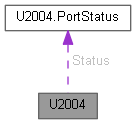
| PortStatus[] | Status = new PortStatus[12] |
| A array of all of the PortStatus. This whole list is updated each time UpdateStatus is called. This list may be iterated or searched with lynq to find the port status for an particular port. | |
| byte[] | ReceivedFrame = new byte[0] |
| The last USB communication frame received after a DataReceivedHandler call-back event. | |
The U2004 is an ARINC 429 Data Server made by Canaan Avionics. This .Dll controls the U2004 through USB connection, but there are options for direct connection through TCP/IP ports for versions of the U2004 that have an RJ-45. TCP/IP sort can also be added using the S2309 DataPanel and using it as an Ip Bridge (see CanvasConnect, and UsbConnect for U2004 connection options).
Creating and instance of a U2004 is accomplished as followed:
Here is an example using python, for which pythonnet enables C# dll interfaces easily, using the similar conventions. In the example below, a connection is being made to the U2004 via the S2309 CANVAS application via TCP/IP connection. the 'pythonnet' package must be installed
| enum A429Parity : byte |
ARINC 429 parity means that the 32nd bit of the A429 Word is overwritten as a word-check, to detect a badly received bit. Parity is used by a number of functions to either set the parity, meaning that a transmitter from the U2004 will automatically write parity to the 32nd bit before it is put onto the wire, or that the parity can be set for a receiver port, meaning that the receiver will ignore parity that is received from the wire if it is not received correctly.
| enum A429Port : byte |
Idenifies which U2004 is being communicated with by a command that needs a A429Port argument.
For example, the following line starts data transmit operations on a TX port:
| Enumerator | |
|---|---|
| RX0 | 0x10 |
| RX1 | 0x11 |
| RX2 | 0x12 |
| RX3 | 0x13 |
| RX4 | 0x14 |
| RX5 | 0x15 |
| RX6 | 0x16 |
| RX7 | 0x17 |
| TX0 | 0x18 |
| TX1 | 0x19 |
| TX2 | 0x1A |
| TX3 | 0x1B |
| STATUS | 0x33 |
| NONE | 0x00 |
| enum CommMode |
CommMode is a enumeration for determiniging how the Dll is communicating with the U2004.
| enum FrameByte : byte |
| enum FrameLayout : int |
| enum Opcode : byte |
Opcodes for communicating commands to the U2004 within a communication frame.
|
inline |
|
inline |
Called by a worker thread periodically to get all of the updated records and other status when the U2004 is in "Asynchronous Mode". When in this mode, the U2004 will constantly service a port and return a buffer of new records when this called.
Note that when CanvasConnect is used for the connection (instead of UsbConnect), then AsyncCommunicate and a DataWorker is not needed.
Here is an example worker and async operation
|
inline |
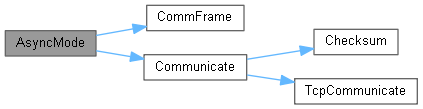
Puts the U2004 into "Asynchronous Mode", meaning that it will constantly output A429Records through AsyncCommunicate. A code example is in AsyncCommunicate.
Note that when CanvasConnect is used for the connection (instead of UsbConnect), then communciation with the U2004 is handled by Canvas. The U2004 is put into AsyncMode automatically.
|
inline |
Instead of calling UsbConnect which would connect to a U2004 throught USB, CanvasConnect can be called to connect to a U2004 that is alread connected to a S2309 CANVAS. Calling Communicate will coordinate a frame through either Usb or Tcp, regardless of the connection method. Know that a U2004 should be put into Async mode any time it is being used with Canvas rather than in an embedded system. CanvasConnect will do this automatically by calling AsyncMode
Here is an example in python, using CanvasConnect to esablish communication with a S2309 CANVAS
|
inline |
Computes the expected checksum of the given Frame.
|
inline |
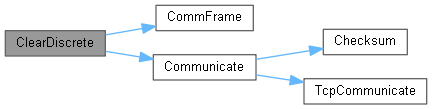
Writes to the U2004 discrete outputs (such as GND_DISC_OUT_0). See DiscreteOutputs for a listing and mapping of these discretes, which can be passed into the mask argument. This function specifically opens a ground/open discrete state.
Here is an example using python:
|
inline |
Creates a raw communication frame to communicate with the U2004.
|
inline |
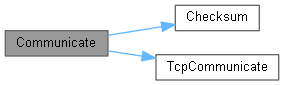
Communicates a single command to the U2004, either directly via USB (when Mode = USB_TO_U2004) or through TCP (when Mode = TCP_TO_PANEL). This function does most of the heavy-lifting communication-wise, and is called by other commands such as UpdateTxWord. Typically Communicate() doesn't need to be called by an interfacing application.
Note that when CanvasConnect is used for the connection (instead of UsbConnect), then communciation with the U2004 is handled by Canvas and functions like Communicate() typically aren't used.
|
inline |
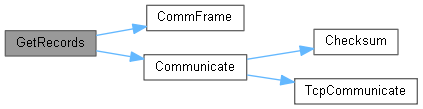
Gets a list of A429Records from the U2004 buffer.
|
inline |
Receives the A429 Rx word from the U2004 Cache. If the word has a set [expected] receive rate (put by SetRxRate), and if 'get_fresh' is True, then the last word received on the port will be returned. If 'get_fresh' is False, then the last word received matching the word (the 8-bit label) will be returned, even if it is stale. NOTE: this function requires a uint-32 to be passed in as the parameter, but only the 8 "label" bits will be used. That is the least significant 8 bits will be used and the most significant 24 are entirely ignored by this function.
Here is an example using python where multiple words are read on the same port:

|
inline |
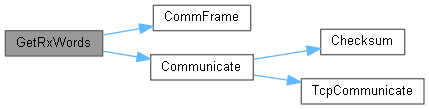
Receives the A429 Rx word from the U2004 Cache. If the word has a set [expected] receive rate (put by SetRxRate), and if 'get_fresh' is True, then the last word received on the port will be returned. If 'get_fresh' is False, then the last word received matching the word (the 8-bit label) will be returned, even if it is stale.
This function is like GetRxWord except a list of words may be sent. Note that if the list is too big, then only words that fit into a communiction frame will be processed.
///
|
inline |
Used to read the value of a Well Known Name. Under the current implementation, this will always query the port that has had it's ICD set for the longest.
|
inline |
This function is called by GetWkn, which should be used in place of this. 'GetWknString' can be used however for greater control over the command issued to the U1713_11.
|
inline |
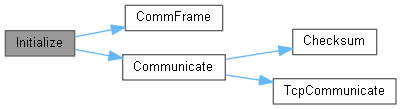
Initializes a connected U2004 (which may still be performing tasks from a previous session). This function also updates the FirmwareVersion and DeviceID.
|
inline |
This function provides a way to programatically load ICDs into canvas onto a particular port. Note, a ~5 second sleep call should be made following this call to allow Canvas to finish loading the icd.
Here is an example using python:
|
inline |
This function provides a way to programatically load a data recording to a particular port. Note, a ~5 second sleep call should be made following this call to allow Canvas to finish loading the part.
Here is an example using python:
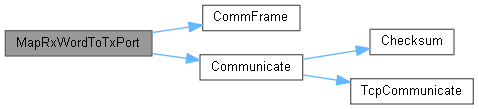
Maps a word from the rx_port over to the tx_port. If the tx_override is true, then the word is mapped but the actual value of the word is taked from the TxCache (meaning that the word is populated with the last value from UpdateTxWord())
Here is an example which maps word label 173 from RX0 over TX2
|
inline |
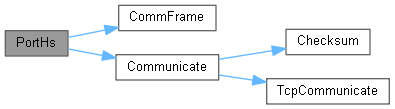
Sets an A429 port to High Speed (100kbs)
|
inline |
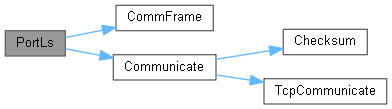
Sets an A429 port to Low Speed (12.5kbs)
|
inline |
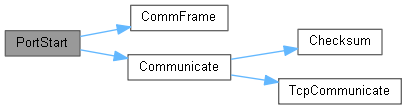
Starts the Tx or Rx Port.
|
inline |
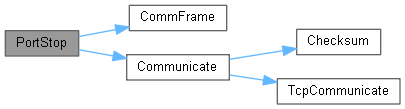
tops the Tx or Rx Port
|
inline |
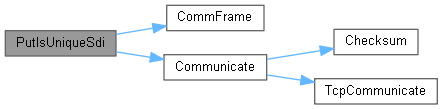
IsUniqueSdi is a property that can be attached to an ARINC 429 word where it tells the U2004 how to handle Source Designation Index (SDI) fields. The SDI is the 9th and 10th bits of an ARINC 429 word (the first 8 bits being the A429 label). For most application, the SDI is somewhat irrelevant because there usually is only one SDI field transmitted on a bus (out of four possible SDI with two-bits). The SDI being received is known by the receiving system by knowing which system the port is wired to. However, some systems, such as Distance Measurement Systems (DME) use the SDI field to differentiate between different channels. This means that the SDI needs to be differentiated by the processing equipment. If IsUniqueSdi configured for a label, then the SDI and Label fields (the first 10 bits) are processed together and all four versions of each label are chached and processed independently.
|
inline |
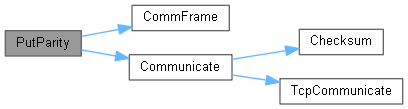
Provided a A429 word, tells the U2004 what parity to accept on receiving ports, and what parity to put out on transmitting ports (Odd, Even, None).
|
inline |
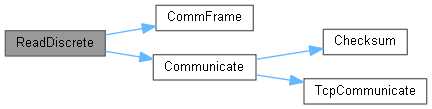
Returns the state of discrete inputs to the U2004 (such as GND_DISC_IN_0, GND_DISC_IN_1, GND_DISC_IN_2) This function usually is used when UpdateStatus isn't called, because DiscreteInputs also provides the states inputs. Use ReadDiscrete(byte) if a blocking operation is needed to check the discrete input states.
|
inline |
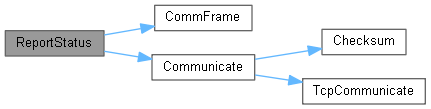
Requests the U2004 status; all ports, all discretes, and the operating mode.
|
inline |
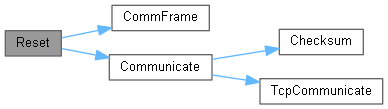
Full software reset of the U2004.
|
inline |
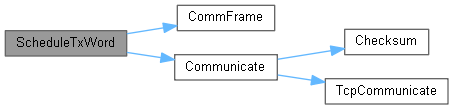
Puts a word into the transmit schedule at the specified time. Words in the schedule are transmittted autonomously and periodically by the U2004 without the need for any Host interaction. A transmit schedule is 2,777 words (for a High Speed bus) and 347 words (for a Low Speed bus), which represents all of the words that that can possibly be transmit in one second.
ScheduleTxWord is just like ScheduleTxWords (see the 's'). The later adds many words to the schedule, whereas ScheduleTxWord only puts one word in the schedule.
An important note is that a scheudled word is only transmitted once until UpdateTxWord is called. The host has an opportunity to update the word before that word gets put onto the wire more than one time. This ensure that the data is never stale. However, if is_froze is set to False, then the scheduled word will be tranmit constantly regardless if the host managed to update it in time before the next transmission.
|
inline |
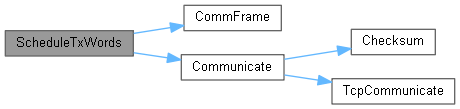
Puts a word into the transmit schedule at the specified time. Words in the schedule are transmittted autonomously and periodically by the U2004 without the need for any Host interaction. A transmit schedule is 2,777 words (for a High Speed bus) and 347 words (for a Low Speed bus), which represents all of the words that that can possibly be transmit in one second.
ScheduleTxWord is just like ScheduleTxWords (see the 's'). The later adds many words to the schedule, whereas ScheduleTxWord only puts one word in the schedule.
An important note is that a scheduled word is only transmitted once until UpdateTxWord is called. The host has an opportunity to update the word before that word gets put onto the wire more than one time. This ensure that the data is never stale. However, if is_froze is set to False, then the scheduled word will be tranmit constantly regardless if the host managed to update it in time before the next transmission.
Here is an example using python where multiple words are scheduled on the same port:
|
inline |
This function provides a way to issue a command directly to Canvas. The command is converted to byte array and sent to the TCP processor.
|
inline |
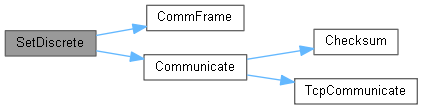
Writes to the U2004 discrete outputs (such as GND_DISC_OUT_0). See DiscreteOutputs for a listing and mapping of these discretes, which can be passed into the mask argument. This function specifically clears a ground/open discrete state.
Here is an example using python:
|
inline |
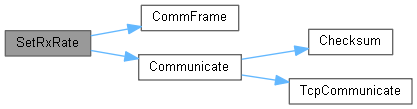
Sets the expected rate of an ARINC 429 word. This is used to determine if a received word is fresh or stale, meaning that it was received within twice the expected rate on average.
|
inline |
Sets the value of a Well Known Name to the value provided for example SetWkn('TIME_TO_GO_BCD', 12.2) will set the value of 'TIME_TO_GO_BCD' to 12.2, to set a co-located non-WKN, use a collon to address that vlue. for example SetWkn('TIME_TO_GO_BCD:Sdi', 3) will set the Source Designation Index in the word that contains 'TIME_TO_GO_BCD' to 3. Note: Under the current implementation, this will always query the port that has had it's ICD set for the longest.
|
inline |
Sets the value of a Well Known Name to the value provided for example SetWkn('TIME_TO_GO_BCD', 12.2) will set the value of 'TIME_TO_GO_BCD' to 12.2, to set a co-located non-WKN, use a collon to address that vlue. for example SetWkn('TIME_TO_GO_BCD:Sdi', 3) will set the Source Designation Index in the word that contains 'TIME_TO_GO_BCD' to 3.
|
inline |
Sends and receives a frame without any additional discrimination through the TCP Connection. This function is typically only used by the Communicate function.
|
inline |
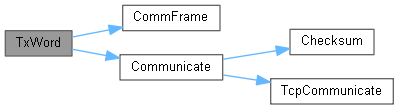
Puts a list of words to be transmitted when space in schedule is available, but note that words that don't fit into the frame are dropped if there is not room.
|
inline |
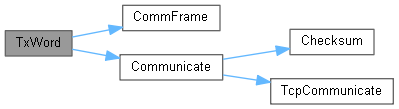
Puts a word to be transmitted when space in schedule is available.
|
inline |
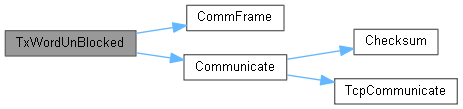
Puts a list of words to be transmitted when space in schedule is available, but not that words that donet fit into the frame are dropped if there is not room. Unlike TxWord, there are no frame check or waiting for this call to be complete, meaning that the words are transmit with less time restrictions.
|
inline |
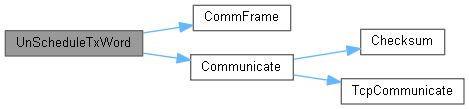
Removes all instances of a word, specifcally the first 8-bit label of a word, from the transmit schedule.
|
inline |
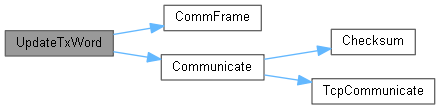
Assuming that a A429 Word has been scheduled, and is actively being transmitted by the U2004, calling UpdateTxWord will update the word value that is in the schedule. It updates what is being transmitted. This also un-freezes words in the schedule if they were scheduled and expect fresh updates from the Host before transmit onto the wire. This call is more performant than the single uint call when scheduling many words.
|
inline |
Assuming that a A429 Word has been scheduled, and is actively being transmitted by the U2004, calling UpdateTxWord will update the word value that is in the schedule. It updates what is being transmitted. This also un-freezes words in the schedule if they were scheduled and expect fresh updates from the Host before transmit onto the wire.
|
inline |
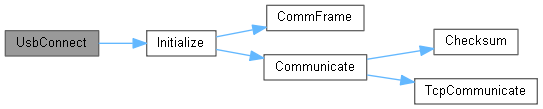
Opens a USB Connection to a U2004.
| bool AsyncModeActive = false |
This is set True if the U2004 is in "Asyncronous Mode". See AsyncMode.
| bool ComFailed = false |
True if there was a communication fault detected. Usually the device would need to be reconnector or re-instantiated, or there is fundamental fault. ComFailed is set when the communication frame received, wasn;t received in the correct format or length.
| SerialPort CommPort |
Serial Port for Communicating directly with the U2004 through the USB/COM port adapter. The U2004 is an FTDI port and can be communicated with through FTD2XX_NET.dll, but also through a generic COM port. Rates up to 921600bps have been tested. Use UsbConnect to open communication using the optimum settings.
| UInt32 DeviceID = 0 |
A unique serial number Id of the U2004, Updated on Initialize. This is hard-coded into the U2004. Canaan Avionics support software updates on this where required.
| UInt32 DiscreteInputs = 0 |
These are the Discrete Input States (Gnd/Open) of the U2004, read after a UpdateStatus call.
This register can be read through a bool operation to get any one discrete, or read all together for all discretes.
The U2004 has three discrete inputs which are mapped as followed:
| UInt32 DiscreteOutputs = 0 |
These are the Discrete Output States (Gnd/Open) of the U2004, read after a UpdateStatus call.
This register can be read through a bool operation to get any one discrete, or read all together for all discretes. These are mosfet-driven discretes that are set through ClearDiscrete and SetDiscrete calls.
The U2004 has three discrete inputs which are mapped as followed:
| UInt32 FirmwareVersion = 0 |
Firmware Version of the U2004, Updated on Initialize. This is hard-coded into the U2004. Canaan Avionics support software updates on this where required.
| uint FramesAsyncCount = 0 |
Increments when frames are communicated.
| uint FramesChecksumError = 0 |
Increments when frames are communicated but the checksum is not correct.
| uint FramesMisalignedError = 0 |
Increments when frames are communicated but not correctly oriented.
| uint FramesReceivedCount = 0 |
Increments when frames are communicated.
| uint FramesTimedOut = 0 |
Increments when frames are communicated but the echo is not correct or timed out.
| uint FramesTransmittedCount = 0 |
Increments when frames are communicated.
| byte Index = 0 |
The Index of this U2004 device. This Dll supports a single host and multiple U2004 interfaces. The Index can be used to direct which U2004 is communicated with.
| CommMode Mode = CommMode.NONE |
The active mode that this U2004 instance is communicating via.
| byte [] ReceivedFrame = new byte[0] |
The last USB communication frame received after a DataReceivedHandler call-back event.
| PortStatus [] Status = new PortStatus[12] |
A array of all of the PortStatus. This whole list is updated each time UpdateStatus is called. This list may be iterated or searched with lynq to find the port status for an particular port.
| int TimeOut = 500 |
The amount of time (ms) for Communicate to wait for a frame from the U2004. If there is no response in that time, then the frame is received as null.
 1.9.7
1.9.7